

Overview strip
Snapshot counts, potential savings, refresh status, and quick add actions stay visible without burning vertical space.
Amazon Price Tracker is a PyQt desktop app for watching product prices, bundle totals, historical lows, target thresholds, and refresh failures while keeping your data and caches in your own user profile.
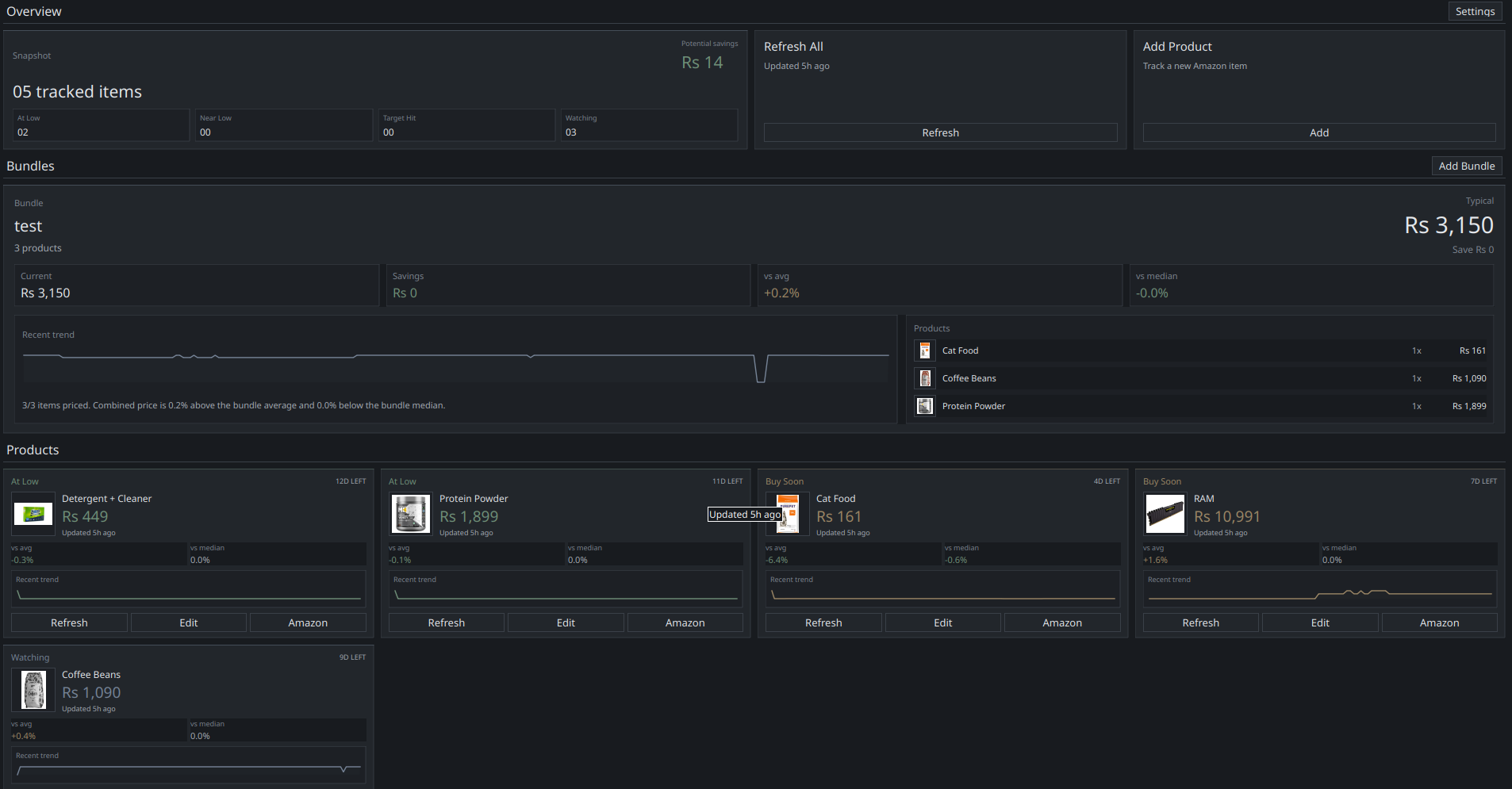
These screenshots reflect the current in-repo desktop UI: the compressed overview strip, the bundle panel, and the tighter product cards used for repeated buying decisions.
Snapshot counts, potential savings, refresh status, and quick add actions stay visible without burning vertical space.
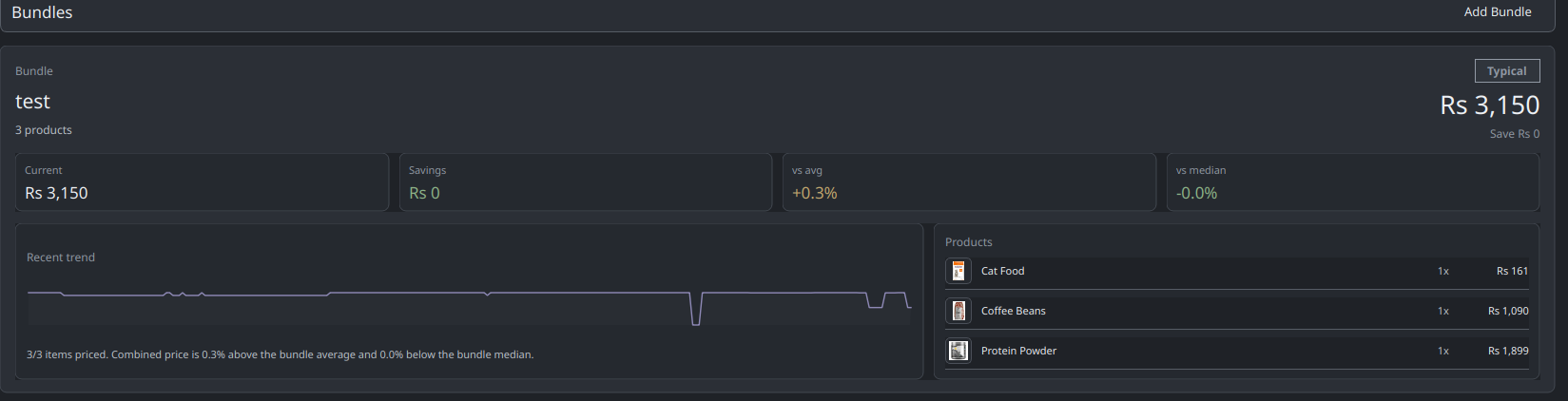
Grouped buys get their own pricing surface with current total, spread versus history, trend line, and included products.
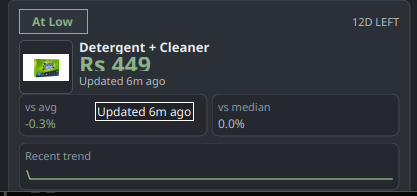
Each tracked item keeps the price, state badge, last update, comparison deltas, and trend in one compact card.
The app combines product tracking, bundle math, browser capture, and desktop automation so recurring purchases can be reviewed as a watchlist instead of a stack of tabs.
Add a direct Amazon URL, optional target price, and optional manual fallback price for cases where the live fetch is blocked or incomplete.
Group products into one bundle, track combined cost over time, and compare today’s total against bundle average and median instead of guessing from memory.
The unpacked browser extensions send the active Amazon product page into the desktop app through native messaging so new tracking starts from the page you already have open.
Use the tray icon for show, hide, sync, settings, logs, data folder, autostart, and quit while background refreshes keep the dashboard current.
Settings and maintenance flows expose the active config, cache, logs, and data folders, with actions to clear image and recovery caches from the GUI.
Refresh failures are treated as part of the normal workflow: the app records them, surfaces them, retries through browser-assisted recovery when appropriate, and falls back to manual pricing when needed.
Direct HTML scraping can fail because of robot checks, captchas, missing live prices, or markup changes. The recovery path is explicit and visible rather than hidden behind silent failure.
The normal refresh path attempts a direct Amazon fetch and parse for the live price and page data.
If the response looks blocked or no readable live price is present, the app records that failure mode instead of pretending it was a valid refresh.
A `QWebEngine` recovery attempt is scheduled. It stays hidden unless Amazon actually presents a captcha or robot check that needs the user to intervene.
If Amazon wants human confirmation, the app opens the recovery window so the user can solve it once and continue without restarting the whole workflow.
Recovery can reuse the app browser session, use a fresh temporary session, or auto-import Amazon cookies from a selected Chrome, Chromium, or Firefox profile before each attempt.
Refresh failures are visible and can trigger notifications rather than disappearing into logs only.
The browser-assisted path stays out of the way until Amazon forces it into view.
Recovery cache, image cache, config, and logs all live in the user’s app-data directories and are reachable from the app UI.
The dashboard and notification system focus on states that matter for recurring buys, not only raw price snapshots.
The app watches for historical lows and uses those transitions as one of the important notification cases.
Near-low transitions are surfaced separately so you can act before an item hits an absolute low again.
Target-price hits are treated as first-class alerts alongside the app’s other important pricing signals.
Bundle tiles report combined total, savings state, and comparison against bundle average and median.
Important-only notifications include refresh failures, which keeps blocked or degraded tracking visible.
Recent update timing and current priced-state context help show whether a dashboard view is fresh or needs attention.
Start with the source-run desktop workflow in the repo, then load the unpacked Chrome or Firefox capture extension if you want one-click importing from live Amazon product pages.