Inventory breadth
From OS packages to project lockfiles
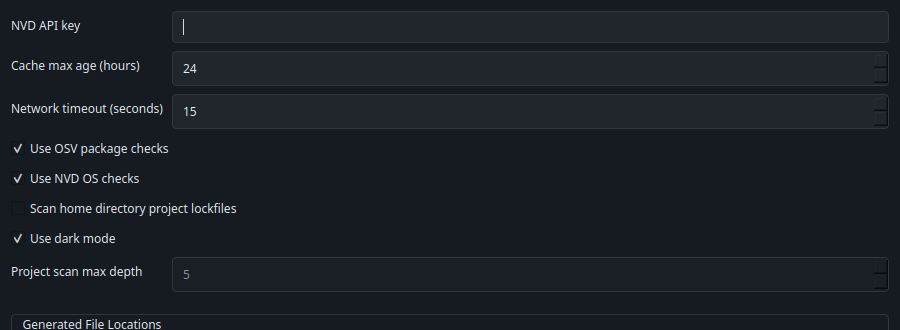
CVEChecker reads Linux package inventory from dpkg, rpm, flatpak, snap, pip, npm, cargo, gem, and local Go binaries, with opt-in lockfile discovery for active projects.
Desktop Security Visibility
CVECheckerLocal-first Linux security review
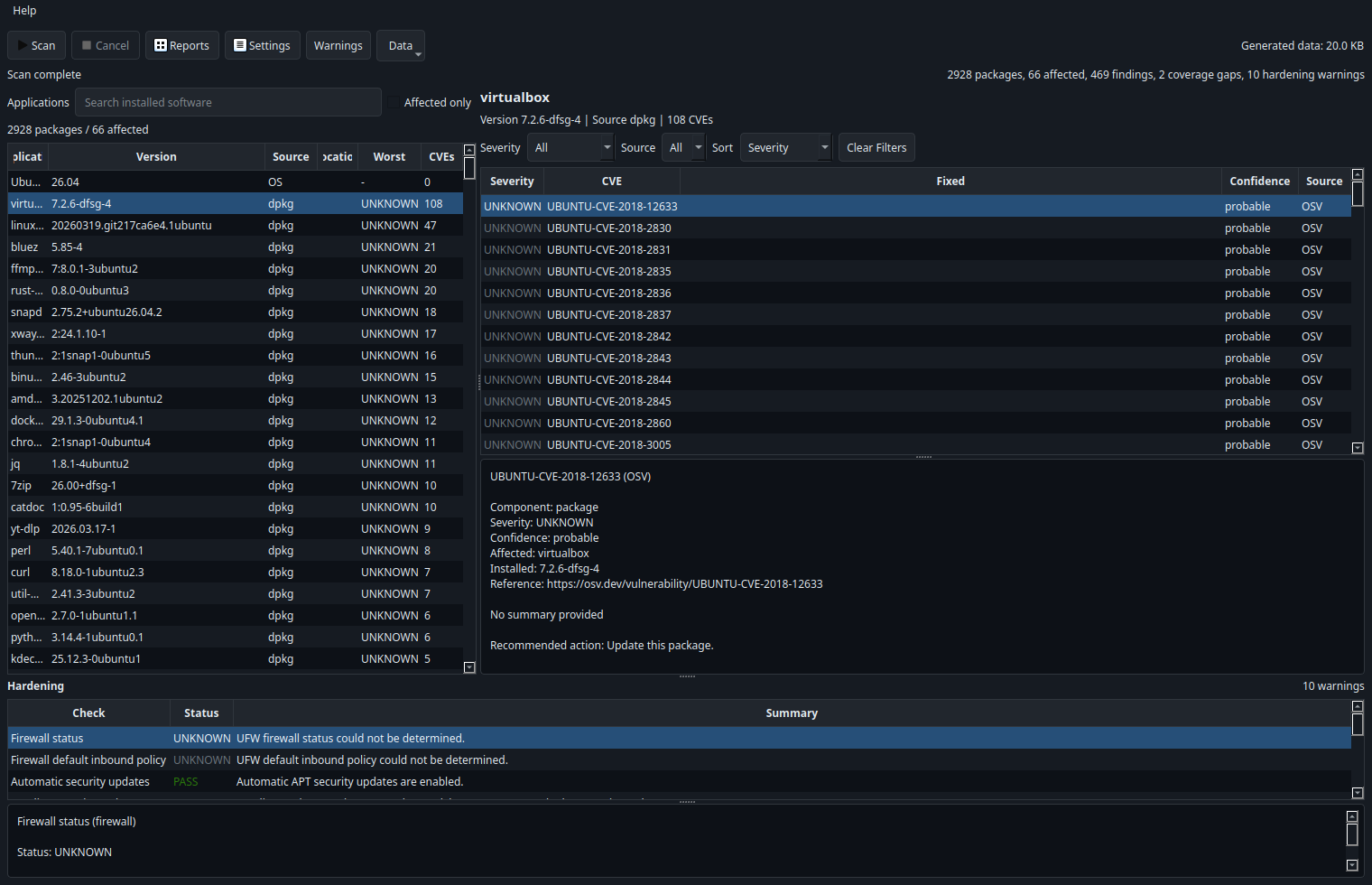
CVEChecker inventories the operating system, installed software, optional project lockfiles, and core hardening posture, then correlates that data against vendor advisories, OSV, and the NVD.
Inventory breadth
CVEChecker reads Linux package inventory from dpkg, rpm, flatpak, snap, pip, npm, cargo, gem, and local Go binaries, with opt-in lockfile discovery for active projects.
Evidence sources
Debian Security Tracker, Ubuntu CVE data, Red Hat Security Data, OSV, and the NVD are combined so system packages and app ecosystems get the strongest match source available.
Decision support
Findings are labeled as confirmed, probable, or needs review, while warnings and coverage gaps stay visible instead of being hidden behind false certainty.
How it works
Collect installed OS, package, application, kernel, and optional project dependency data on the host you run it on.
Match supported packages against vendor advisories first, then use OSV and NVD where exact or useful mappings exist.
Work through CVEs, hardening checks, network exposure signals, and explicit coverage gaps from one desktop view.
Features
Scans the machine you run it on, including the operating system, installed packages, and mapped desktop apps.
Supports opt-in discovery of Python, Node.js, and Rust lockfiles in the home directory without executing package-manager commands.
Uses distro-specific advisory sources for Debian, Ubuntu, and RHEL where direct package correlation is available.
Supports mapped Flatpak and Snap application CPE lookups for common desktop apps such as Firefox, Chromium, Thunderbird, Slack, and Zoom.
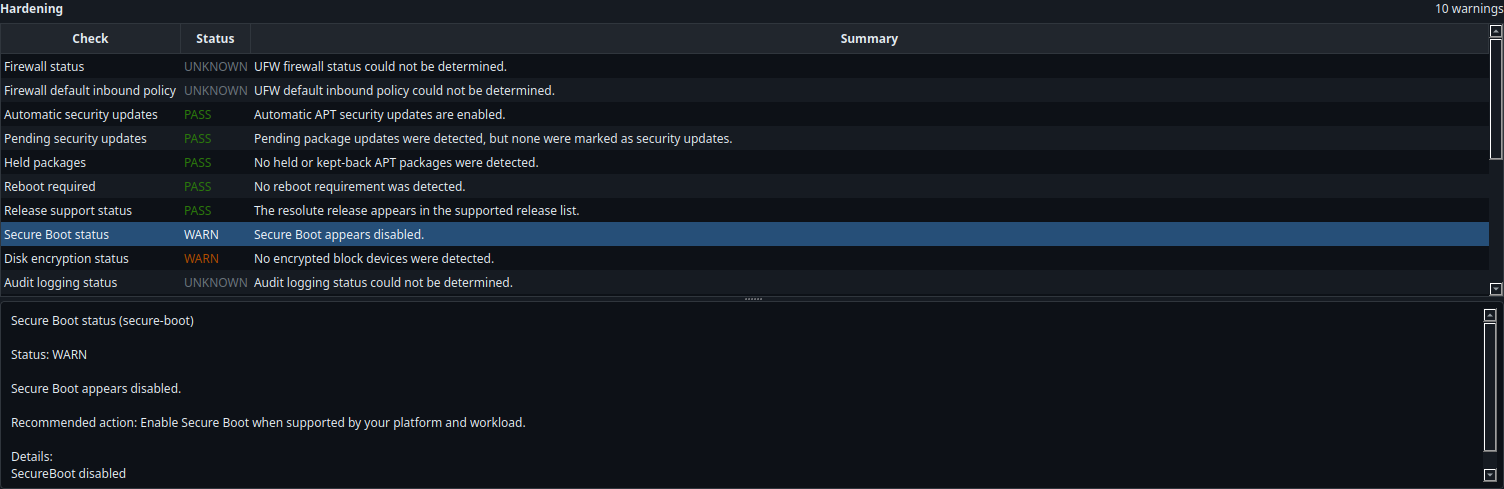
Surfaces posture checks for firewall state, automatic updates, SSH policy, Secure Boot, disk encryption signals, audit logging, and listening services.
Shows data-source problems and unmapped coverage directly in the UI so ambiguous or partial results are obvious to the operator.
Result handling
Public vulnerability data is messy. CVEChecker makes that explicit by separating confirmed matches from probable and needs-review findings, then pairing them with the matching source and recommended next step.
Coverage boundaries
The app reports unsupported package ecosystems, unmapped applications, source failures, and coverage gaps through the Warnings view instead of silently dropping them.
Screenshots
Install
The desktop UI is built with PySide6. Scanning happens on the machine where you launch the app.
uv --cache-dir /tmp/cvechecker-uv-cache venv .venv
uv --cache-dir /tmp/cvechecker-uv-cache pip install -p .venv/bin/python -e .[dev].venv/bin/cvechecker
# or
.venv/bin/python -m cvecheckerFAQ
No web dashboard is required. The app runs locally and presents results in the desktop UI.
V1 targets Linux desktop machines, with direct vendor advisory support for Debian, Ubuntu, and RHEL package data.
No. It focuses on local software exposure and selected hardening checks rather than full benchmark compliance.
No. Some ecosystems or app identifiers do not map cleanly yet, and the app surfaces that as a coverage gap.