 Expense Manager
Desktop ledger from alerts, imports, and rule mining
Expense Manager
Desktop ledger from alerts, imports, and rule mining
Desktop Spend Intelligence
Turn email alerts and SMS backups into a clean, searchable expense ledger.
Expense Manager is a local-first desktop app for people who want their raw bank notifications, mined parsing rules, and vendor cleanup workflow in one place. No personal data is used on this page. The screenshots below were rendered from the working app with synthetic demo data.
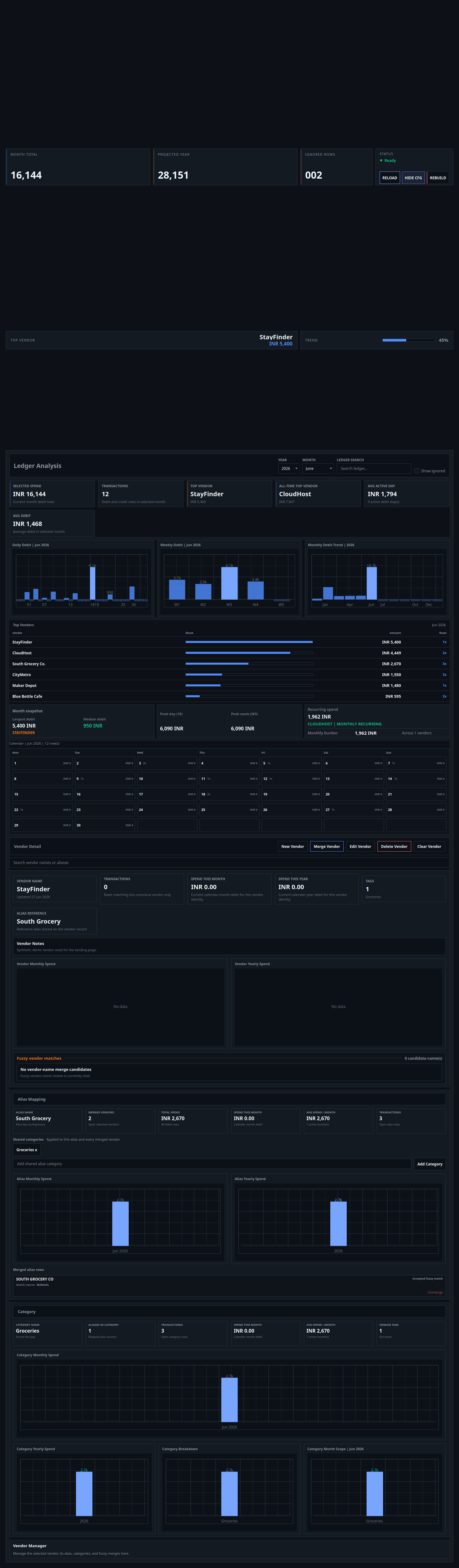
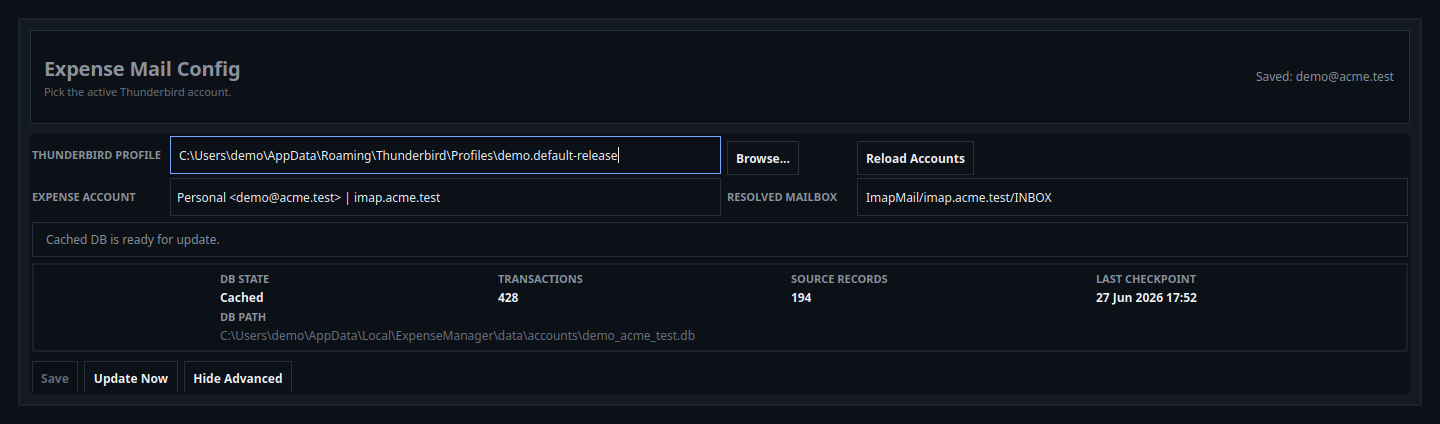
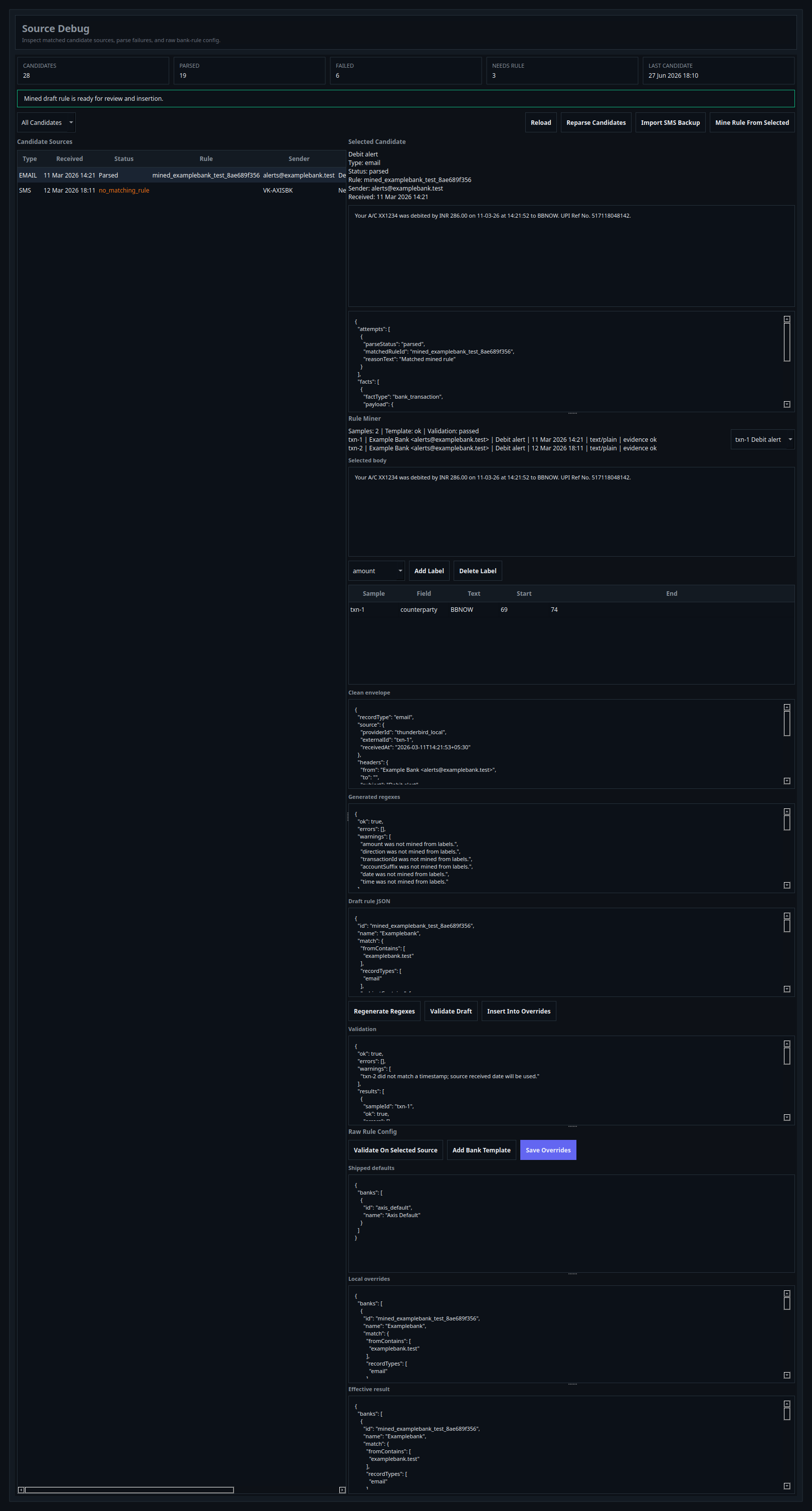
Built for real cleanup work, not generic dashboards.
The workflow stays explicit: configure one account, inspect candidate sources, mine the rule only after reviewing samples, and keep analysis close to the vendor operations that fix messy data.
01
Account-scoped data
Each saved Thunderbird account points to its own database path, checkpoint state, and source-record summary.
02
Source-first debugging
Candidate rows stay visible when parsing fails, so you can review raw text, parser attempts, facts, and next steps together.
03
Deterministic rule mining
The miner works from cleaned envelopes and labeled spans, regenerates narrow regexes, and validates per sample before save.
04
Vendor repair loop
Alias mapping, soft merges, recurring pattern review, and category reconciliation live beside the ledger that they affect.
Working screens from the actual desktop app.
These are not mocked browser cards. They are screenshots generated from the live application with dummy content so the landing page can show the real UI surface without exposing private data.
Overview + Ledger Analysis
Month totals, vendor concentration, charts, recurring signals, and the month-scoped calendar ledger share one analysis surface.
Mail Configuration
Pick the Thunderbird profile, inspect discovered accounts, confirm mailbox routing, and see DB state before syncing.
Source Debug + Miner
Review candidate rows, inspect the selected source, label cleaned samples, regenerate regexes, and stage override edits.
Local-first by default.
Runtime data lives in per-user directories, logs rotate locally, and the landing page reflects the app’s desktop-first model: inspect the source data, keep the rule text editable, and only persist changes when you decide to save.
No hidden upload step
Mail parsing, SMS import, candidate inspection, and rule validation stay on the machine that owns the ledger.
Explicit persistence
Mining a draft does not overwrite config. Insertion updates the local editor. Save remains the only persistence action.
Dummy data on this page
The marketing surface uses synthetic account names, vendor names, and amounts so the screenshots stay safe to publish.
What do you want the app to do first?
Pick the starting intent that matches your workflow. The panel updates with the recommended first screen and the shortest useful setup path.
Suggested Start
Mail Config → Source Debug → Rule Miner
Save the Thunderbird account first, reload candidate sources, validate one failing alert, then mine or edit the rule only after reviewing the cleaned sample text.
Best when the raw alert text is already in email and the parser is missing fields.
Use the debug pane to compare attempts, facts, and the effective rule JSON side by side.
Only persist after the draft passes validation or you deliberately accept the warning.