 JobScraper
Desktop-first job search workbench
JobScraper
Desktop-first job search workbench
Local-first desktop workflow
Keep the signal. Cut the tab sprawl.
JobScraper pulls public company boards into one dense PyQt workbench, stores everything in SQLite, and gives you a fast place to filter, inspect, export, and plan the next skills to level up.
- Public-source first, with direct ATS boards and curated job feeds.
- Dense desktop layout with companies, jobs, and selected-job detail side by side.
- Background exports, source imports, diagnostics, analytics, and roadmap generation.
What the shipped app focuses on
One workbench for browsing, validating, and narrowing real openings.
The public release is intentionally centered on no-auth sources and local operator control. You can inspect source health, edit source rows, export filtered job slices, reopen the getting-started flow, and clean up generated files directly from the GUI.
Local workspace
Settings, sources, logs, reports, backups, and exports are visible to the user and not hidden behind a cloud account.
Honest scope
The bundled public release does not ship login-backed LinkedIn, Indeed, or browser-only portals as default sources.
Unified workbench
Browse companies, jobs, and normalized detail without context switching.
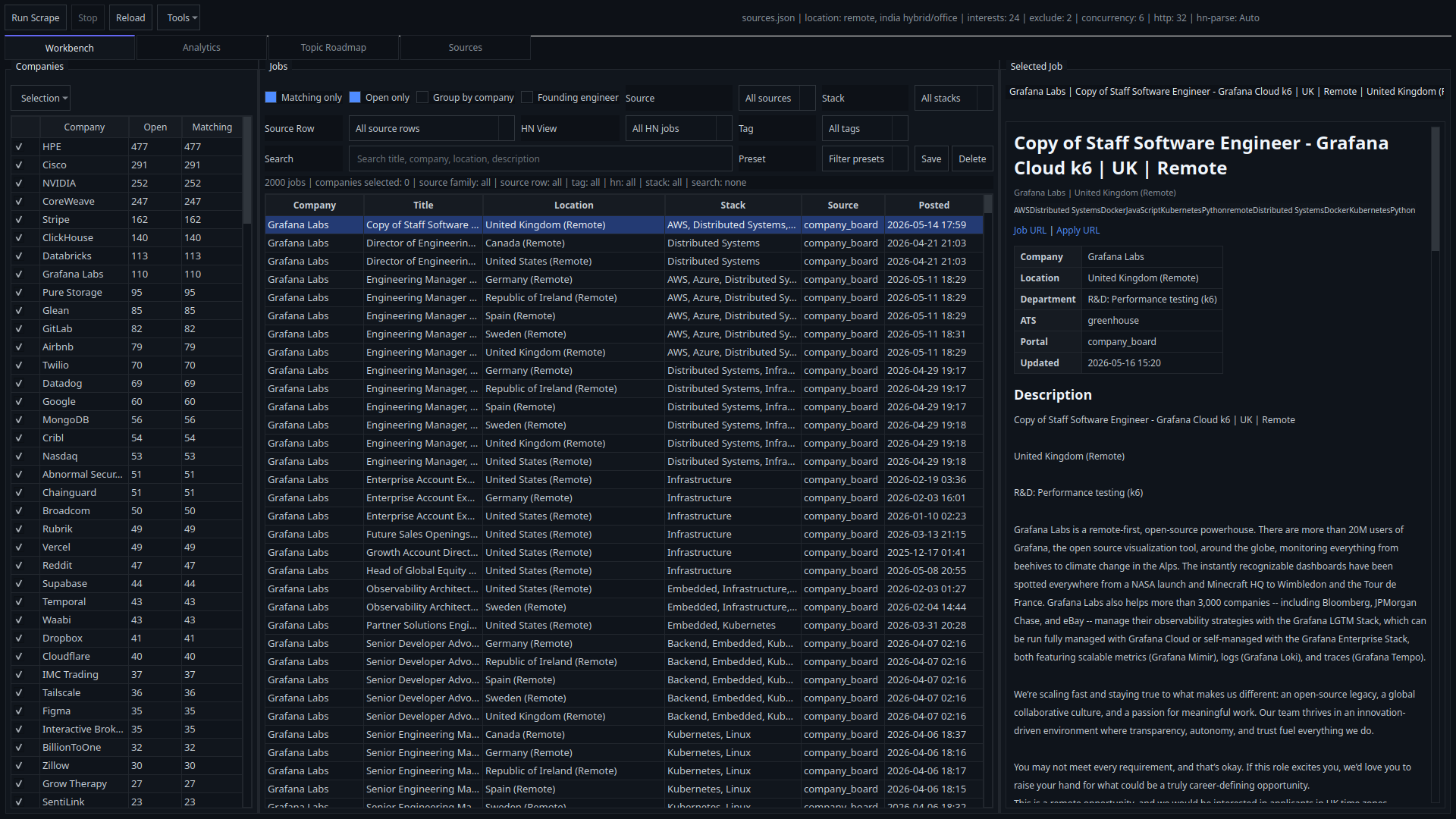
The main surface keeps the company scope, job table, and selected-job description on one screen. Search, stack, source family, source row, tag, HN review mode, and filter presets all stay in the active browsing loop.
- Company sidebar with matching and open counts
- Job table with stack, location, source, and posted timestamps
- Selected-job detail with normalized metadata and outbound links
Source diagnostics
See which sources are healthy, blocked, new, or failing.
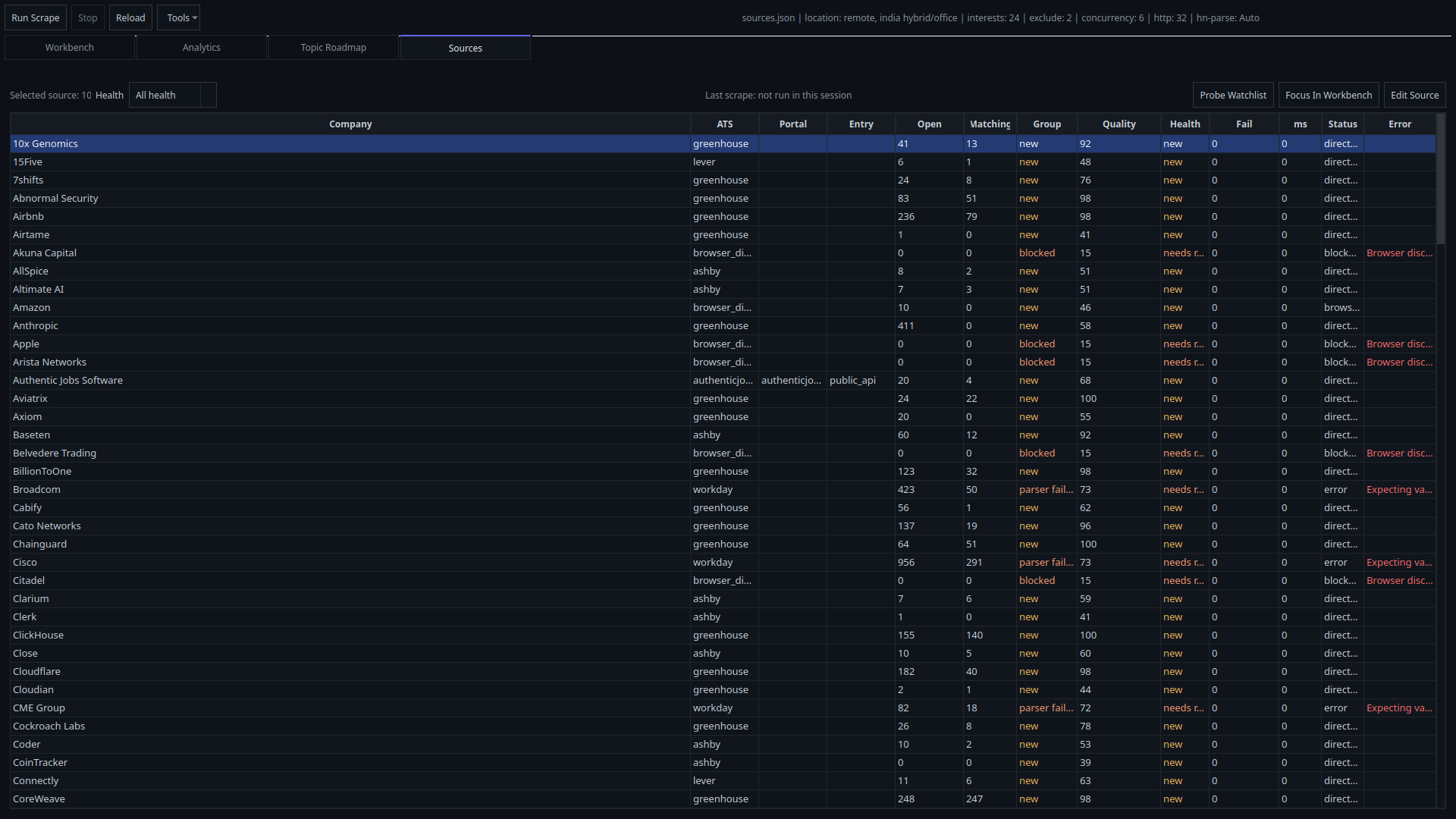
The Sources tab exposes raw source rows, health groups, quality score, last scrape status, source focus, and watchlist probing in one operational view.
- Health filters with focused diagnostics
- Focus In Workbench for source-scoped browsing
- Edit Source and Probe Watchlist actions
Analytics and roadmap
Turn the current job slice into scope-aware signals and study direction.
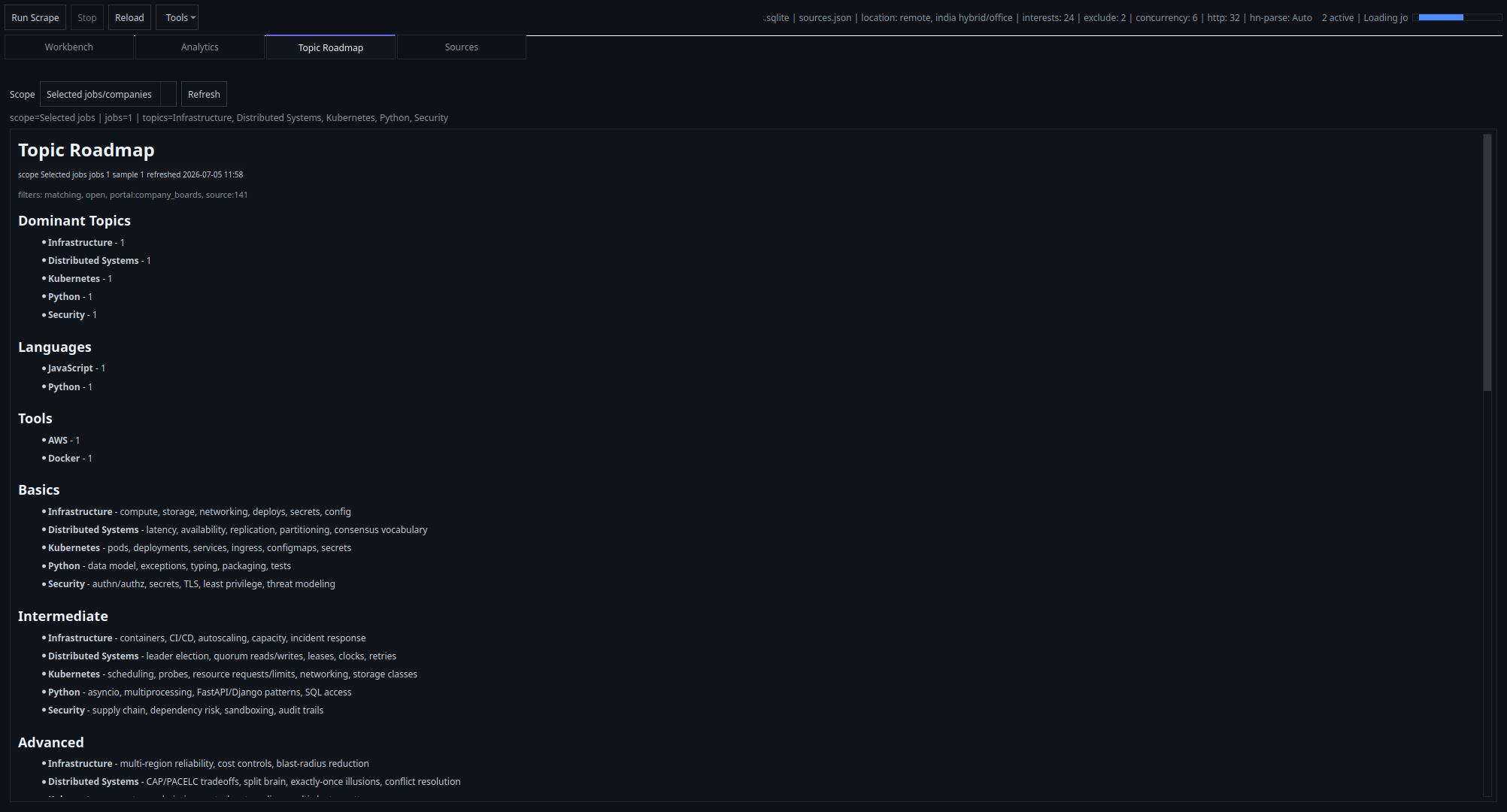
Analytics and Topic Roadmap stay lazy-loaded, disclose their active scope, and help you understand what the current market slice is asking for.
- Scope labels, sample size, and refreshed-at context
- Selected-jobs, current-filters, or whole-DB roadmap modes
- Local heuristic roadmap generation from stored job text and stacks
Workspace controls
Keep paths, exports, and generated files visible to the operator.
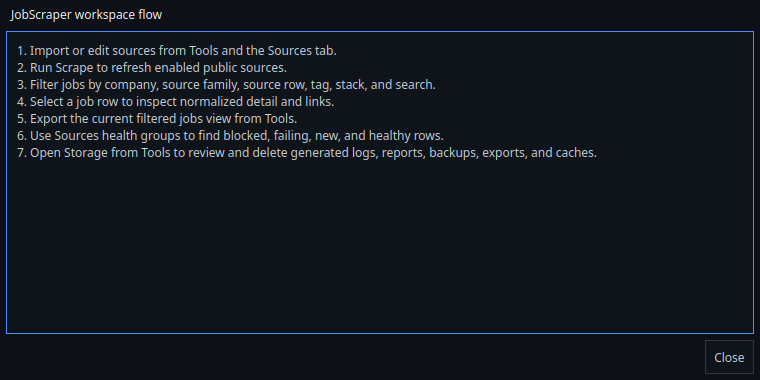
The app exposes runtime paths, concurrency settings, Local AI fields, export workflows, the startup tutorial, and a storage cleanup surface from the Tools menu.
- Import preview with backup before source mutations
- Background export with cancellation and final destination feedback
- Storage visibility for logs, reports, backups, exports, and caches
Real app captures
Walk through the current product surface.
Job-seeker flow
How the app is meant to be used.
- Load or edit your public sources, then run a scrape.
- Use companies, source family, source row, tag, stack, and text search to narrow the slice.
- Inspect job detail, export the filtered set, and use roadmap output to decide what to study next.
In progress
Upcoming features worth watching.
These are the live follow-up areas already tracked in the local roadmap and source audit files.
Broader public-board coverage
Fortinet, Hudson River Trading, and the Juniper / HPE networking split still need either a verified no-auth feed or a dedicated adapter path.
Deeper aggregator intake
AIJobs export-feed validation and HiringCafe company-intake flow are still open follow-ups after the first aggregator pass.
More verified source rows
The watchlist and HiringCafe appendix still contain promotable public boards once additional direct probes or new adapters land.
Quick start
Pick the build that matches your machine.
Windows and Linux ship as packaged desktop builds. macOS currently runs from source. Every path still writes its local workspace under Documents/JobScraper.
Windows
Portable EXE plus installer flow for a normal desktop install.
JobScraper.exeinside the packaged app folderJobScraperSetup.exewhen the installer build is present
Linux
PyInstaller onedir bundle with launcher and icon assets for desktop environments.
JobScraperexecutable insidedist-linux/JobScraper/JobScraper.desktopand icon assets for launcher install
macOS
There is no packaged .app release yet. Run the PyQt app directly from source today.
- Python 3.11+
- Editable install with
.[build,test]
Build from source on GitHub
github.com/d3v4shish/JobScraper
git clone https://github.com/d3v4shish/JobScraper.git JobScraper-Public
cd JobScraper-Public/JobScraper
python -m venv .venv
source .venv/bin/activate
python -m pip install -U pip
python -m pip install -e ".[build,test]"
python -m jobscraper
What ships today
- Windows packaged builds from
build/build_windows.ps1with EXE and optional installer output - Linux packaged builds from
build/build_linux.shwith executable, desktop launcher, and icon - macOS support through the GitHub source run until a packaged app build lands
settings.json,sources.json, andsource_watchlist.jsonunder the workspace config directory- A SQLite database, rotating logs, exports, reports, and backups
- Tools actions for import preview, export, activity, logs, reports, watchlist access, tutorial, and settings