Run the day
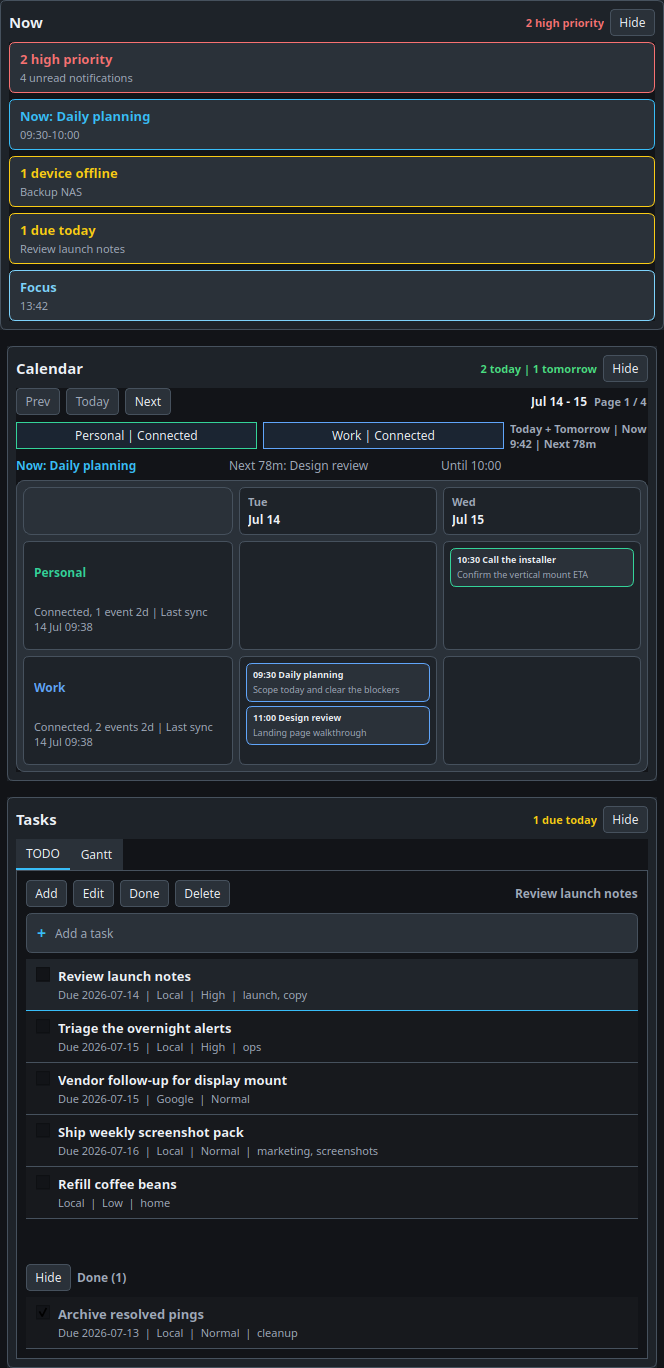
See the current event, what is due today, what is overdue, and how much free time is left before the next block starts.
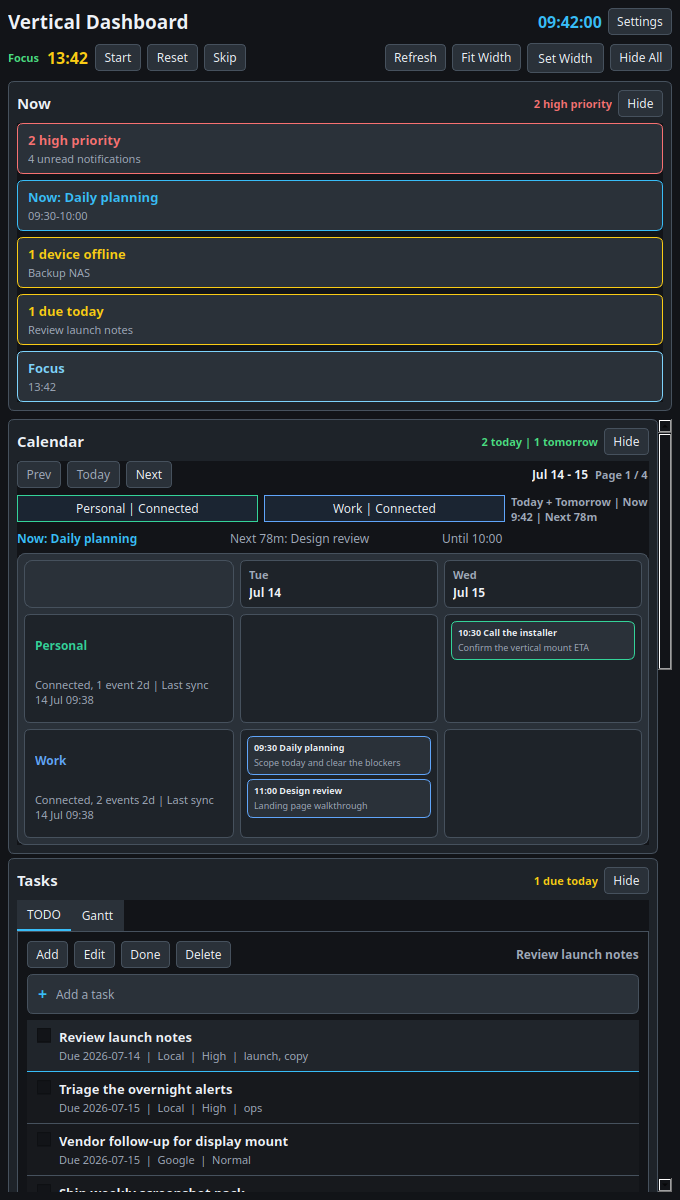
Actual Qt screenshots. Real desktop workflow.
Vertical Dashboard turns a spare vertical display into a live command center for planning, notification triage, system awareness, device status, and quick capture without burying any of it behind browser tabs.
Use Cases
See the current event, what is due today, what is overdue, and how much free time is left before the next block starts.
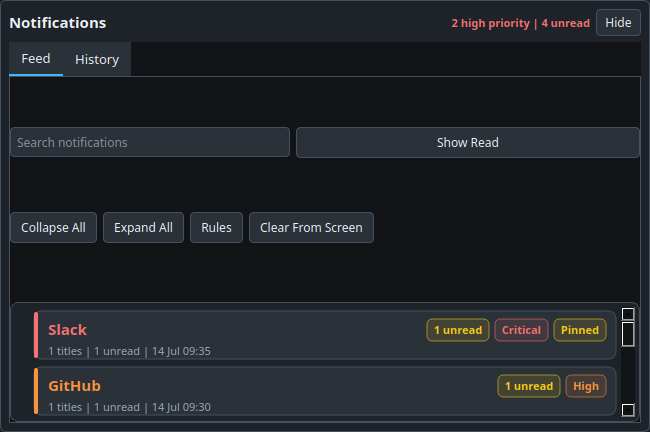
Keep the unread and high-priority feed visible so Slack, GitHub, Calendar, and system alerts stop turning into background clutter.
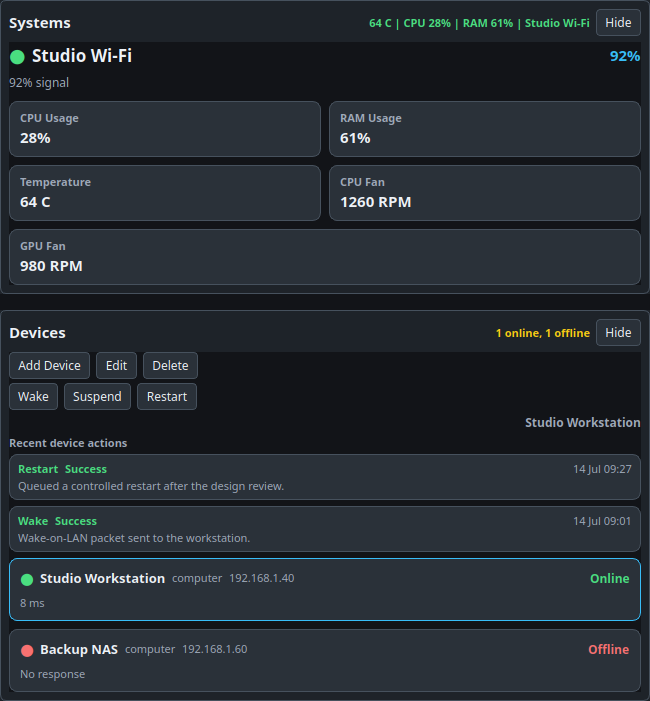
Track Wi-Fi, CPU, RAM, temperature, and the online state of important devices without opening another monitoring stack.
Throw loose ideas into the inbox, promote them into tasks, and keep a small personal operations board beside your main work.
Screenshots
Why It Works
PyQt window, local storage, system integrations, and device actions live where the work already happens.
The layout is tuned for a vertical monitor so the panel can stay docked beside your main screen instead of fighting for focus.
Section order, refresh cadence, generated files, Google sync, device definitions, and cleanup all stay editable from the app.
Quick Start
There is no packaged installer in this repo yet. The current path is source-based and takes a few minutes:
cd VerticalDashboard
python3 -m venv .venv
.venv/bin/python -m pip install -r vertical_dashboard_pyqt/requirements.txt
.venv/bin/python -m vertical_dashboard_pyqt --width 640
Want the reproducible screenshot set used on this page?
Run .venv/bin/python -m vertical_dashboard_pyqt --marketing-demo --capture-dir landing/assets/screenshots.